Mitsubishi thermostats are designed to make controlling indoor comfort simple and efficient, but the variety of symbols displayed on the thermostat or remote control can sometimes be confusing. Instead of relying on text labels, Mitsubishi Electric uses universally recognized icons to represent operating modes, fan settings, airflow controls, timers, and energy-saving features. Understanding these Mitsubishi thermostat symbols helps you use your heating and cooling system more effectively while improving comfort and reducing energy costs.
Whether you own a Mitsubishi mini-split system, ducted heat pump, or multi-zone HVAC unit, learning the meaning behind each symbol allows you to quickly adjust settings without guessing. From the familiar snowflake and sun icons to less obvious airflow and timer symbols, every sign serves a specific purpose.
This comprehensive guide explains the meaning of Mitsubishi thermostat symbols, their history, common categories, practical uses, troubleshooting tips, and frequently asked questions. By the end, you’ll confidently recognize the most common icons found on Mitsubishi thermostats and remote controls.
Mitsubishi Thermostat Symbols (Meaning and Overview)
Mitsubishi thermostat symbols are visual representations used to communicate thermostat settings and HVAC functions. Rather than displaying lengthy text, the thermostat uses standardized icons to indicate operating modes, temperature controls, fan speeds, timers, airflow direction, and system status.
These symbols improve usability because they are easy to recognize regardless of language. Similar to other communication symbols used in consumer electronics, Mitsubishi thermostat icons are designed for quick identification while occupying minimal screen space.
Although the exact layout may vary slightly between thermostat models and remote controls, the core symbols remain largely consistent across Mitsubishi Electric heating and cooling systems.
Common categories include:
- Operating mode symbols
- Fan speed symbols
- Airflow direction icons
- Timer indicators
- Temperature adjustment symbols
- Energy-saving mode icons
- Wi-Fi and connectivity indicators
- Maintenance reminders
Understanding these symbols helps prevent incorrect settings and ensures the system operates as intended.
History and Origin
As air conditioning systems became more advanced, manufacturers began replacing text-based controls with internationally recognizable symbols. Mitsubishi Electric adopted this approach to create user-friendly thermostats suitable for global markets.
Earlier HVAC controls relied on switches and printed labels. Modern digital thermostats instead use compact graphical icons that communicate multiple functions on a small display.
Many Mitsubishi thermostat symbols follow international appliance design standards. Icons such as the snowflake for cooling and the sun for heating have become widely accepted visual representations across many HVAC brands.
With the introduction of smart thermostats and wireless remote controls, Mitsubishi expanded its icon library to include Wi-Fi connectivity, scheduling, maintenance alerts, and energy-saving modes.
Types, Variations, or Categories
Mitsubishi thermostat symbols generally fall into several functional categories.
Operating Mode Symbols
These icons determine how the HVAC system operates.
Common operating modes include:
- Cooling
- Heating
- Dry (Dehumidification)
- Fan Only
- Auto Mode
Each uses a unique visual representation that remains consistent across many Mitsubishi products.
Fan Control Symbols
Fan icons adjust indoor airflow.
Most systems include:
- Auto Fan
- Low Speed
- Medium Speed
- High Speed
- Powerful Mode
The fan symbol usually resembles a small rotating fan with additional bars or indicators representing speed levels.
Airflow Direction Symbols
These symbols control the movement of the air vanes.
Functions include:
- Vertical swing
- Horizontal swing
- Fixed airflow
- Automatic airflow adjustment
Proper airflow direction improves both comfort and efficiency.
Common Mitsubishi Thermostat Symbols and Their Meanings
Understanding the most frequently used thermostat icons makes operating your system much easier.
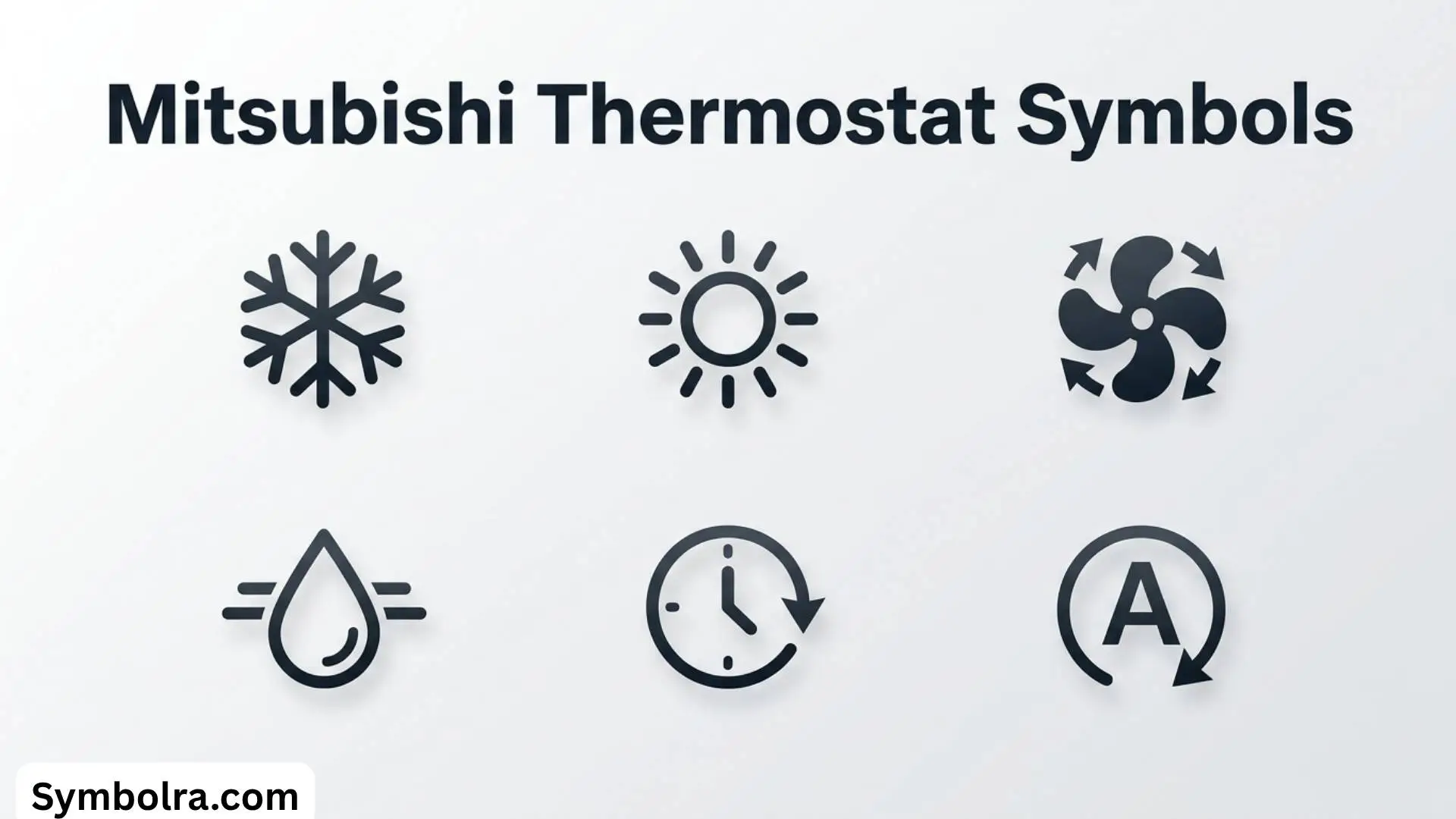
Snowflake Symbol
The snowflake icon represents Cooling Mode.
When selected:
- The system cools the room.
- The compressor operates to reduce indoor temperature.
- The thermostat maintains the chosen temperature automatically.
This is one of the easiest thermostat symbols to recognize.
Sun Symbol
The sun icon represents Heating Mode.
During colder months, selecting this symbol activates the heat pump or heating function.
The thermostat will maintain the desired indoor temperature while providing warm airflow.
Water Droplet Symbol
A single water droplet indicates Dry Mode.
This setting removes excess humidity without aggressively lowering room temperature.
Dry Mode is useful during:
- Humid summer days
- Rainy weather
- Mild climates
It can improve indoor comfort while using less energy than full cooling mode.
Fan Symbol
The fan icon activates Fan Only Mode.
In this mode:
- The compressor remains off.
- Air circulates throughout the room.
- No heating or cooling occurs.
This setting improves ventilation and air circulation.
Auto Symbol
The Auto Mode symbol allows the thermostat to automatically switch between heating and cooling based on indoor conditions.
This mode is particularly useful during seasons when temperatures fluctuate throughout the day.
Swing Symbol
The swing icon controls airflow direction.
Depending on the model, it may:
- Move louvers up and down
- Move louvers side to side
- Combine both movements
Even air distribution helps eliminate hot or cold spots.
Timer Symbol
A clock icon represents timer settings.
Users can:
- Schedule startup times
- Schedule shutdown times
- Program daily operation
Timers improve convenience while reducing unnecessary energy use.
Eco Symbol
Some Mitsubishi thermostats display an Eco icon.
Eco Mode optimizes operation by reducing power consumption while maintaining comfortable indoor temperatures.
It is ideal for:
- Overnight operation
- Extended vacations
- Everyday energy savings
Wi-Fi Symbol
Modern Mitsubishi smart thermostats include a Wi-Fi icon.
This indicates:
- Wireless connection status
- Smart app compatibility
- Remote control availability
A flashing Wi-Fi symbol may indicate connection issues.
Filter Symbol
A filter icon serves as a maintenance reminder.
It usually appears after the system has operated for a certain number of hours.
Cleaning the air filter improves:
- Air quality
- Energy efficiency
- System lifespan
After cleaning, the reminder can typically be reset through the thermostat menu.
Understanding Temperature Display Symbols
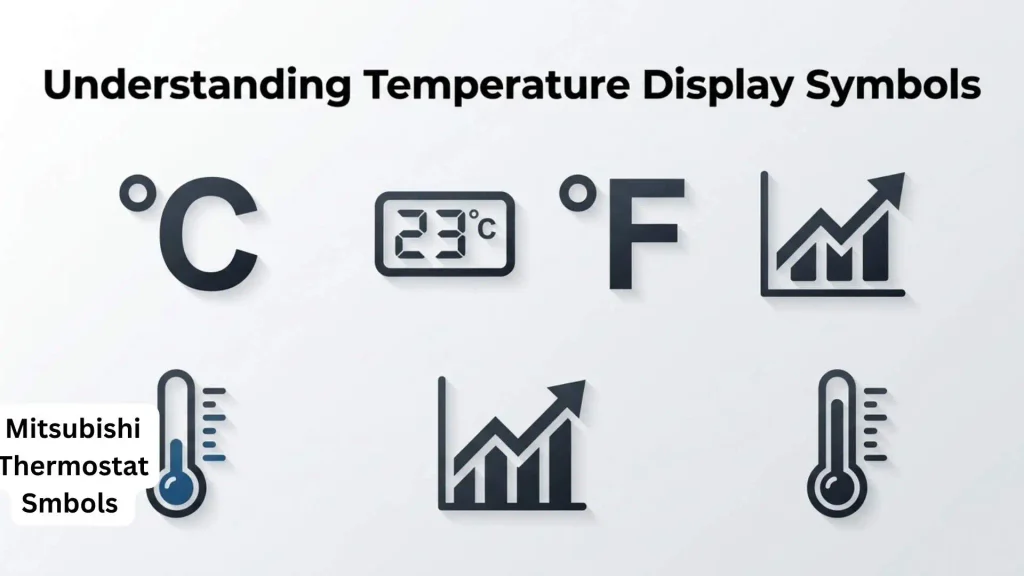
Besides operating mode icons, Mitsubishi thermostats display temperature-related symbols.
These include:
Celsius and Fahrenheit
Depending on regional settings, temperatures may appear as:
- °C
- °F
Many models allow users to switch between units.
Up and Down Arrows
Arrow symbols adjust the target temperature.
Pressing:
- Up increases the set temperature.
- Down lowers the set temperature.
These simple icons replace traditional text buttons.
Advanced Mitsubishi Thermostat Icons
Some premium Mitsubishi systems include additional symbols.
Powerful Mode
A turbo or rocket-like icon represents maximum heating or cooling output.
This setting quickly changes room temperature but may consume more electricity.
Quiet Mode
A silent or sound-reduction icon reduces indoor fan noise.
Quiet Mode is ideal for:
- Bedrooms
- Nurseries
- Home offices
Weekly Schedule Symbol
A calendar icon indicates programmable scheduling.
Users can create customized operating schedules for each day of the week.
Child Lock
A padlock icon prevents accidental setting changes.
This feature is useful in homes with young children.
Common Uses and Applications
Understanding Mitsubishi thermostat symbols helps homeowners use their HVAC systems more effectively.
Common applications include:
Everyday Comfort
Users quickly switch between:
- Cooling
- Heating
- Fan
- Dry Mode
without navigating complicated menus.
Energy Efficiency
Selecting Eco Mode and timers helps reduce electricity consumption while maintaining comfort.
Seasonal Adjustments
Different symbols become useful during different seasons.
Examples include:
Summer:
- Cooling
- Dry Mode
- Swing
Winter:
- Heating
- Auto Fan
- Powerful Mode
Spring and Fall:
- Auto Mode
- Fan Only
Smart Home Integration
Wi-Fi-enabled thermostats allow remote monitoring and adjustment using mobile applications.
Symbolism, Significance, or Importance
Although Mitsubishi thermostat symbols are functional rather than artistic, they play an important role in user experience.
Their symbolic significance includes:
- Universal communication
- Reduced language barriers
- Faster operation
- Improved accessibility
- Better energy management
- Simplified HVAC control
Unlike decorative symbols or typography symbols found in written communication, thermostat icons are designed specifically for practical operation.
Their consistent visual representation makes them instantly recognizable to users worldwide.
How to Use Mitsubishi Thermostat Symbols
Using these symbols effectively is straightforward.
Choose the Correct Mode
Select:
- Snowflake for cooling
- Sun for heating
- Droplet for humidity control
- Fan for ventilation
- Auto for automatic operation
Set the Temperature
Use the arrow buttons to choose your preferred temperature.
Avoid setting temperatures dramatically lower or higher than necessary, as doing so will not cool or heat the room faster.
Adjust Fan Speed
Select:
- Auto
- Low
- Medium
- High
Higher speeds cool or heat rooms faster, while lower speeds provide quieter operation.
Enable Timers
Program schedules to match your daily routine.
This improves convenience while reducing unnecessary system runtime.
Clean the Filter
When the filter icon appears:
- Turn off the unit.
- Remove the air filter.
- Wash or vacuum it.
- Allow it to dry completely.
- Reinstall and reset the filter reminder.
Regular maintenance keeps the system operating efficiently.
Interesting Facts
- Mitsubishi Electric uses standardized icons across many of its residential HVAC systems.
- The snowflake and sun symbols are among the most universally recognized HVAC icons worldwide.
- Dry Mode can often improve comfort while using less electricity than standard cooling.
- Many smart Mitsubishi thermostats support remote control through mobile apps.
- Filter reminder icons are based on operating hours rather than actual dirt levels.
- Auto Mode automatically balances heating and cooling in changing weather conditions.
- Modern Mitsubishi controllers use intuitive digital characters instead of lengthy text labels.
Common Mistakes or Misconceptions
Confusing Fan Mode with Cooling
Fan Mode only circulates air.
It does not lower room temperature.
Assuming Dry Mode Is the Same as Cooling
Dry Mode primarily removes humidity.
Its cooling effect is usually minimal.
Ignoring the Filter Symbol
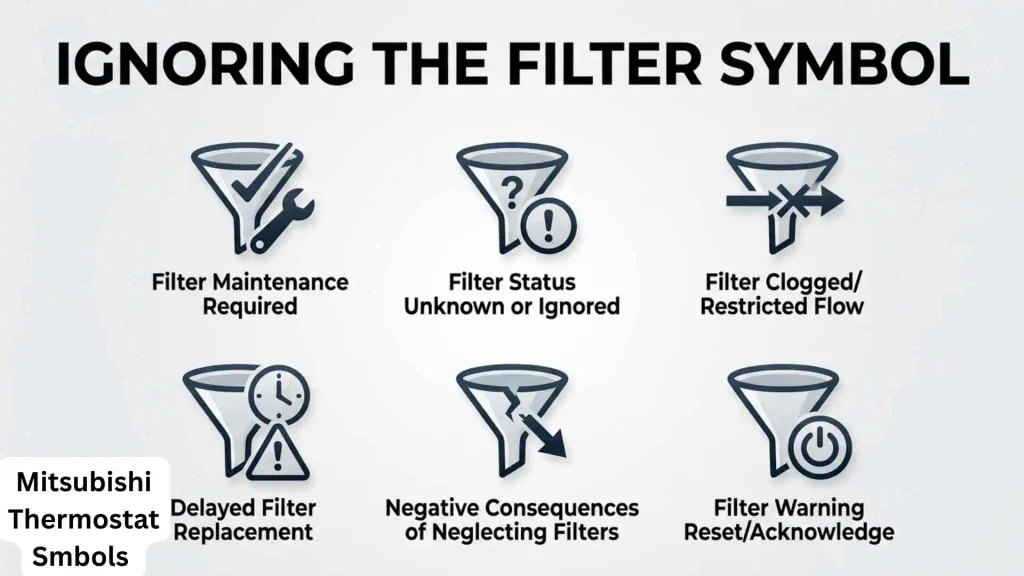
A dirty filter reduces efficiency, airflow, and indoor air quality.
Cleaning it regularly helps extend equipment life.
Using Maximum Temperature Settings
Setting extremely low temperatures won’t cool a room faster.
The system works at the same capacity until the target temperature is reached.
Misunderstanding Auto Mode
Auto Mode doesn’t simply alternate randomly between heating and cooling.
It automatically selects the appropriate function based on indoor conditions.
Frequently Asked Questions
What does the snowflake symbol mean on a Mitsubishi thermostat?
The snowflake symbol activates Cooling Mode, allowing the system to lower the room temperature.
What is the water droplet symbol?
The water droplet represents Dry Mode, which removes excess indoor humidity while using less energy than full cooling.
Why is the filter icon showing?
The filter reminder indicates it’s time to clean the indoor air filter for optimal performance.
What does the swing symbol do?
The swing icon adjusts the airflow direction by moving the air louvers automatically.
What is Eco Mode?
Eco Mode reduces energy consumption while maintaining a comfortable indoor environment.
Can Mitsubishi thermostat symbols vary between models?
Yes. While most core icons remain the same, premium models may include additional symbols for Wi-Fi, smart scheduling, or advanced airflow controls.
What does Auto Mode do?
Auto Mode automatically switches between heating and cooling to maintain the selected indoor temperature.
Conclusion
Mitsubishi thermostat symbols are designed to make controlling your HVAC system simple, efficient, and intuitive. By learning the meaning behind icons such as the snowflake, sun, water droplet, fan, swing, timer, Eco Mode, and filter reminder, you can maximize comfort while improving
efficiency and extending the life of your heating and cooling equipment.
Whether you’re operating a Mitsubishi mini-split, ducted heat pump, or smart thermostat, understanding these symbols eliminates guesswork and helps you use every feature with confidence. Familiarity with these standardized icons not only improves daily convenience but also ensures your HVAC system performs at its best throughout every season.
