Seeing an unfamiliar warning light on your Nissan Versa dashboard can be confusing and even stressful. Whether it’s a red engine icon, a yellow tire pressure warning, or a flashing security indicator, every dashboard symbol is designed to communicate important information about your vehicle’s condition.
Understanding Nissan Versa dashboard symbols helps you respond appropriately, avoid costly repairs, and drive more safely. Some dashboard icons simply remind you to perform routine maintenance, while others indicate serious problems that require immediate attention.
This comprehensive guide explains the meaning of every common Nissan Versa dashboard warning light, how these symbols evolved, what each color means, when you should stop driving, and practical steps to take when a warning appears. Whether you own a newer Nissan Versa or an older model, this article will help you confidently interpret the dashboard’s visual communication system.
Nissan Versa Dashboard Symbols (Meaning and Overview)
Dashboard symbols are standardized visual indicators displayed on your Nissan Versa’s instrument cluster. Each icon acts as a communication symbol that alerts the driver about the status of a vehicle system.
Instead of using words, Nissan uses universally recognizable signs and symbolic representations that can be understood regardless of language. Modern vehicles include dozens of warning lights covering everything from engine performance to safety systems.
Dashboard symbols generally fall into three categories:
- Warning lights that indicate a serious problem
- Information indicators showing a system is active
- Maintenance reminders for scheduled service
Most symbols illuminate briefly when you start the vehicle as part of a self-test. If a light remains on or begins flashing while driving, it usually requires your attention.
History and Origin of Dashboard Symbols
Dashboard warning lights have evolved significantly over the past several decades.
Early automobiles relied almost entirely on analog gauges that measured oil pressure, coolant temperature, and fuel level. As electronic control systems became common in the 1980s and 1990s, manufacturers introduced dashboard icons that could instantly notify drivers about system faults.
Today, Nissan Versa models use computerized sensors connected to the Engine Control Module (ECM), Body Control Module (BCM), and other electronic systems. These components continuously monitor the vehicle and display warning symbols whenever abnormal conditions are detected.
Many dashboard icons follow international standards established by organizations such as ISO, making them recognizable across different vehicle brands.
Types of Nissan Versa Dashboard Symbols
Red Warning Symbols
Red dashboard lights indicate urgent issues that should never be ignored.
These warnings usually require immediate action because continuing to drive could damage the vehicle or compromise safety.
Common red warning lights include:
- Brake system warning
- Oil pressure warning
- Engine overheating
- Airbag warning
- Seat belt reminder
- Battery charging system warning
Yellow or Amber Warning Symbols
Yellow indicators generally signal maintenance needs or system malfunctions that should be inspected soon.
Although they are usually less urgent than red lights, delaying repairs may cause larger problems.
Examples include:
- Check Engine Light
- ABS warning
- Tire Pressure Monitoring System (TPMS)
- Traction Control warning
- Vehicle Dynamic Control (VDC)
- Master Warning Light
Green, Blue, and White Indicator Lights
These dashboard icons simply indicate that a feature is operating normally.
Examples include:
- Cruise control
- High beam headlights
- Turn signals
- ECO mode
- Fog lights
These symbols rarely indicate a malfunction.
Common Nissan Versa Dashboard Warning Symbols
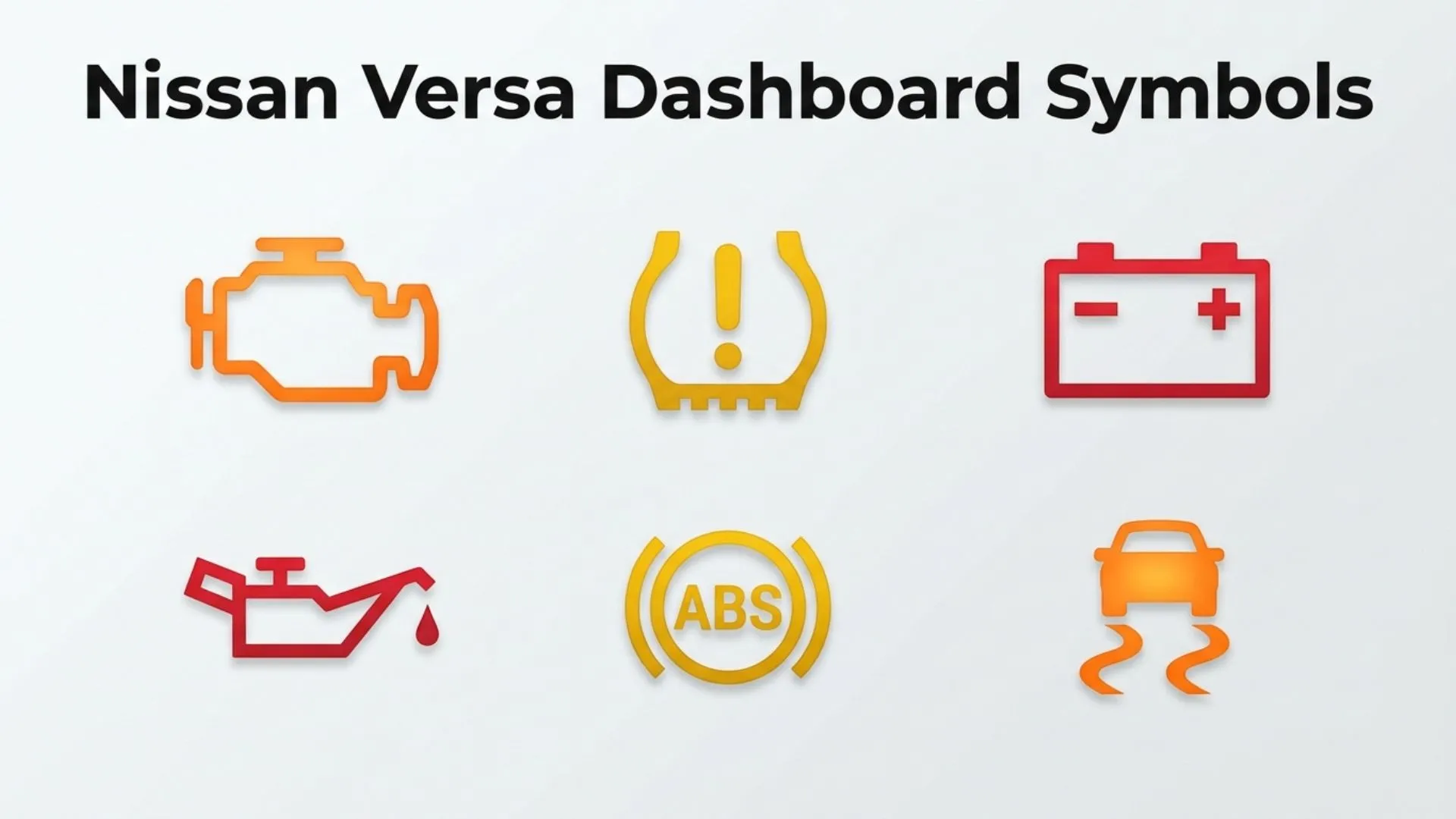
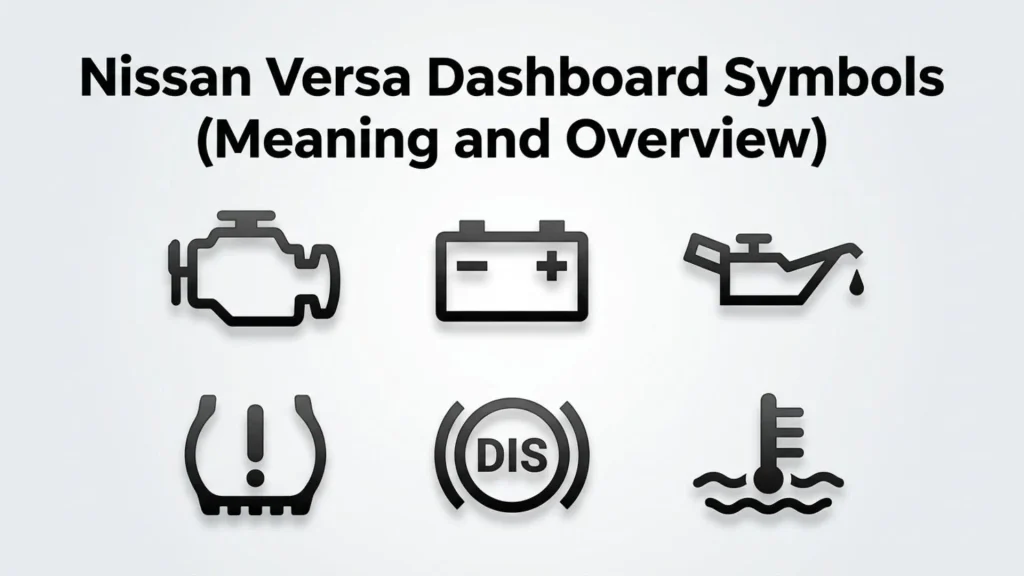
Check Engine Light
The Check Engine Light is one of the most recognized dashboard symbols.
It resembles the outline of an engine.
Possible causes include:
- Loose gas cap
- Oxygen sensor failure
- Faulty spark plugs
- Catalytic converter problems
- Mass airflow sensor issues
A steady light often indicates a moderate issue, while a flashing light usually signals a serious engine misfire requiring immediate attention.
Oil Pressure Warning Light
This symbol resembles an old-fashioned oil can.
If it illuminates while driving:
- Pull over safely.
- Turn off the engine.
- Check the engine oil level.
Driving with low oil pressure can cause severe engine damage within minutes.
Battery Warning Light
The battery icon indicates the charging system isn’t operating correctly.
Possible causes include:
- Bad alternator
- Loose battery cable
- Worn serpentine belt
- Weak battery
If ignored, your vehicle may eventually lose electrical power and stall.
Brake Warning Light
The brake warning symbol usually appears as an exclamation mark inside a circle or the word “BRAKE.”
It may indicate:
- Parking brake engaged
- Low brake fluid
- Brake system malfunction
Never ignore this warning because braking performance could be affected.
Tire Pressure Warning Light
The Tire Pressure Monitoring System (TPMS) icon looks like a horseshoe with an exclamation mark.
It alerts you when one or more tires are underinflated.
Driving with improper tire pressure can:
- Reduce fuel economy
- Increase tire wear
- Affect handling
- Increase blowout risk
Check tire pressures when the tires are cold.
ABS Warning Light
The Anti-lock Braking System (ABS) symbol indicates a malfunction within the ABS system.
Your standard brakes will usually continue working, but anti-lock braking assistance may be unavailable during emergency stops.
Professional diagnosis is recommended.
Airbag Warning Light
This symbol shows a seated person with a deployed airbag.
Possible causes include:
- Faulty impact sensor
- Wiring issue
- Seat sensor malfunction
- Airbag module fault
Because airbags are critical safety equipment, this warning should be inspected promptly.
Engine Temperature Warning
A thermometer over waves represents high engine temperature.
If this warning appears:
- Stop safely.
- Turn off the engine.
- Allow the engine to cool.
- Check coolant levels.
Never remove the radiator cap while the engine is hot.
Security Indicator Light
The security icon often resembles a car with a key.
It usually flashes when the vehicle is locked and indicates the anti-theft system is active.
A continuously illuminated light may signal an immobilizer issue.
Low Fuel Warning
The fuel pump icon appears when the fuel tank reaches a low level.
Although the remaining driving distance varies by model year, refueling promptly helps avoid running the tank completely dry.
Additional Dashboard Indicators
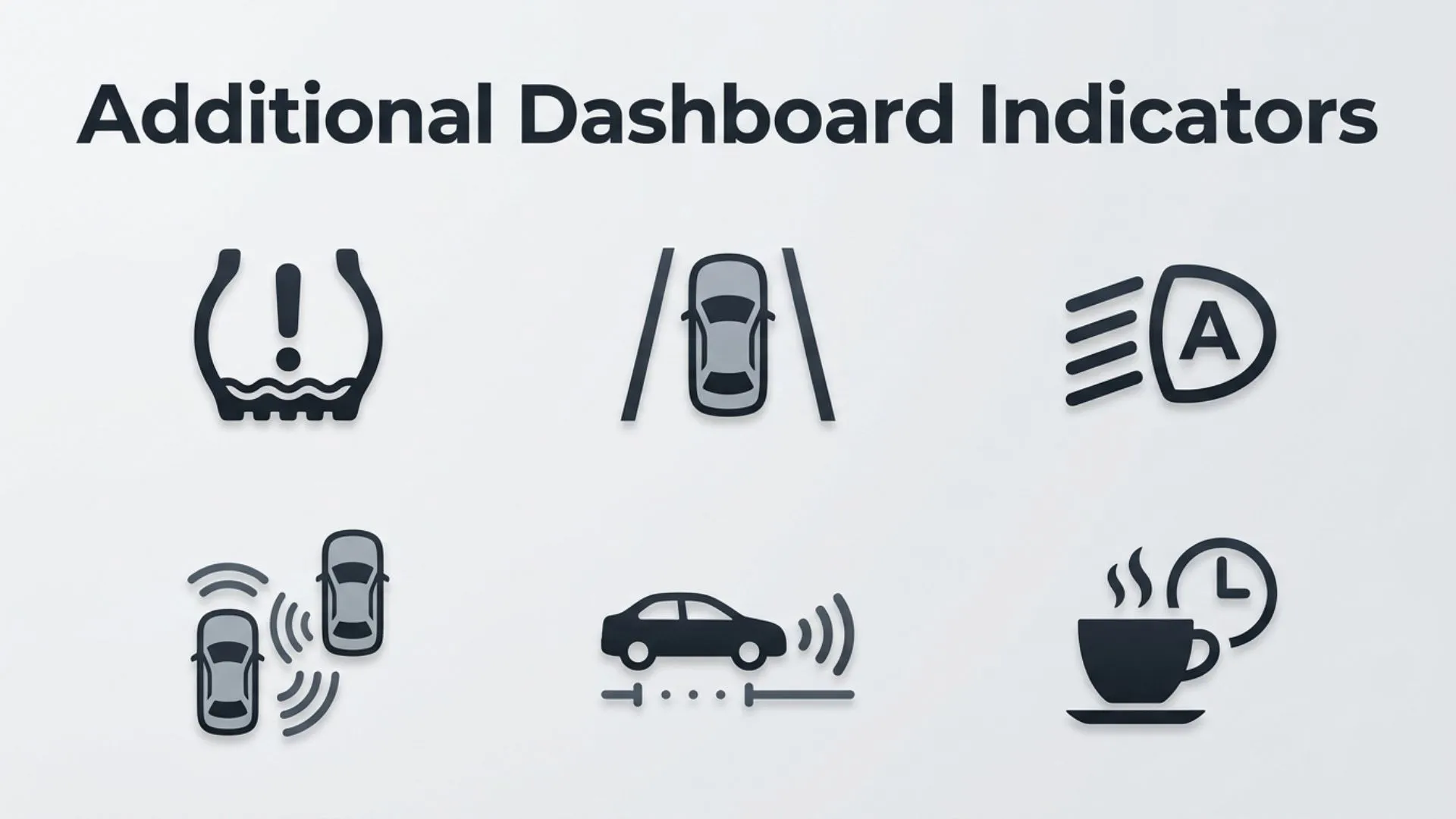
Other symbols commonly found in Nissan Versa models include:
Cruise Control Indicator
Shows that cruise control has been activated.
ECO Indicator
Appears when fuel-efficient driving conditions are met.
Traction Control Light
Indicates traction control is active or has been disabled.
Lane Departure Warning
Available on newer Versa models equipped with Nissan Safety Shield technologies.
Forward Collision Warning
Alerts drivers when the vehicle detects a possible frontal collision.
Door Open Indicator
Shows that one or more doors, the trunk, or the hood is not fully closed.
Washer Fluid Warning
Indicates windshield washer fluid is running low.
Common Uses and Applications
Dashboard symbols are much more than decorative icons.
They serve several important purposes:
Vehicle Safety
Warning lights notify drivers before mechanical issues become dangerous.
Preventive Maintenance
Maintenance indicators encourage routine servicing before major failures occur.
Driver Communication
Dashboard icons provide clear visual communication without distracting the driver.
Diagnostic Assistance
Technicians use dashboard warning lights alongside diagnostic trouble codes (DTCs) to identify problems quickly.
Fuel Efficiency
Certain indicators, such as ECO mode, encourage efficient driving habits that reduce fuel consumption.
Symbolism and Importance
Every Nissan Versa dashboard symbol has a specific symbolic significance.
Instead of relying on written language, each icon uses internationally recognized visual representation to communicate vehicle status.
For example:
| Dashboard Symbol | Symbol Meaning |
| Engine icon | Engine malfunction |
| Oil can | Low oil pressure |
| Battery | Charging system issue |
| Tire with exclamation mark | Low tire pressure |
| Thermometer | High engine temperature |
| Steering wheel | Power steering issue |
| Seat belt | Seat belt reminder |
| Airbag figure | Airbag system fault |
These symbols create a universal communication system that drivers worldwide can recognize.
How to Respond to Dashboard Symbols
Knowing how to react is just as important as recognizing the warning.
Green or Blue Light
Continue driving normally.
These indicators simply confirm a feature is active.
Yellow Light
Read the owner’s manual.
Schedule service if the warning persists.
Avoid ignoring the issue for extended periods.
Flashing Yellow Light
Reduce speed and have the vehicle inspected immediately.
Flashing warnings often indicate worsening conditions.
Red Light
Pull over safely as soon as possible.
Turn off the engine if necessary and seek professional assistance before continuing to drive.
Interesting Facts
- Modern Nissan Versa models monitor dozens of vehicle systems simultaneously.
- Most dashboard symbols follow internationally standardized designs.
- Some dashboard lights automatically disappear after the issue is corrected.
- The Check Engine Light can illuminate because of something as simple as a loose fuel cap.
- LED dashboard displays have replaced many traditional bulbs in newer Versa models.
- Modern onboard computers store diagnostic trouble codes whenever major warning lights appear.
- Some Nissan Versa models include customizable information displays alongside traditional warning icons.
- Dashboard symbols reduce language barriers by relying on universally recognized graphics.
Common Mistakes or Misconceptions
Ignoring the Check Engine Light
Many drivers continue driving for weeks after the warning appears.
While some causes are minor, others can lead to expensive engine repairs.
Assuming Every Red Light Is Safe to Ignore
Red warnings typically indicate conditions that require immediate attention.
Ignoring them may result in serious mechanical damage.
Resetting Warning Lights Without Fixing the Problem
Erasing a dashboard warning doesn’t repair the underlying issue.
The light will usually return until the fault is corrected.
Confusing Similar Symbols
Some icons, such as the brake warning and ABS warning, appear similar but indicate different systems.
Understanding the differences helps you respond appropriately.
Relying Only on Dashboard Symbols
Regular inspections, scheduled maintenance, and fluid checks remain essential even if no warning lights are illuminated.
Frequently Asked Questions
What does the yellow engine light mean on a Nissan Versa?
The yellow Check Engine Light indicates the engine management system has detected a fault. It should be diagnosed using an OBD-II scanner or by a qualified technician.
Is it safe to drive with the tire pressure warning light on?
You can usually drive a short distance if the tire is only slightly underinflated, but check tire pressure immediately. If a tire is severely deflated, avoid driving until it is repaired.
Why does every dashboard light come on when I start my Nissan Versa?
This is a normal self-test. Most warning lights should turn off within a few seconds after the engine starts.
What does the Master Warning Light mean?
The Master Warning Light indicates that one or more vehicle systems require attention. Check the information display for additional details.
Can a loose gas cap trigger the Check Engine Light?
Yes. A loose or damaged fuel cap can cause an evaporative emissions leak, which may illuminate the Check Engine Light.
What should I do if the battery warning light comes on while driving?
Turn off unnecessary electrical accessories and have the charging system inspected as soon as possible. The alternator or battery may be failing.
Where can I find the meaning of every Nissan Versa dashboard symbol?
The owner’s manual contains a complete guide to all dashboard warning lights, indicator icons, and maintenance reminders specific to your model year.
Conclusion
Understanding Nissan Versa dashboard symbols is essential for safe and confident driving. These warning lights are designed to provide immediate, easy-to-understand information about your vehicle’s health, allowing you to address minor issues before they become major repairs. From the Check Engine Light and oil pressure warning to tire pressure indicators and advanced driver-assistance icons, every dashboard symbol has a specific purpose.
By learning what each icon means, paying attention to warning light colors, and responding appropriately, you can improve vehicle reliability, enhance safety, and reduce long-term maintenance costs. When in doubt, consult your Nissan Versa owner’s manual or have the vehicle inspected by a qualified technician to ensure every warning is properly diagnosed and resolved.

Ryan Mitchell is an independent writer with a strong interest in symbols, visual communication, and the meanings behind different signs and icons. His writing focuses on providing clear, accurate, and useful information that helps readers quickly understand unfamiliar symbols. Ethan covers a wide range of topics, from everyday and cultural symbols to technical and professional symbol systems.
His books include The World of Symbols, Symbols Explained Simply, and The Essential Symbol Reference Guide.